 1.png)
Upload a character sheet PDF and MythWeaver builds the character from it. Takes about two minutes.
What you need
- The sheet as a PDF. That is the only format it takes. In D&D Beyond, use Export to PDF.
- The game system the sheet uses. It asks you, and picking the wrong one is the main way this goes wrong.
You do not need a campaign. Import into your own Characters list and put them on a table later, or import from inside a campaign to drop them straight onto it.
It is free. Importing does not use your images or your recorded sessions, on any plan.
Import the sheet
1. Go to Characters and press New character, then From a character sheet.
Either your own Characters list or a campaign's works. If the list is empty there is an Import a sheet button on the page that goes to the same place.
2. Choose the PDF and check the game system.
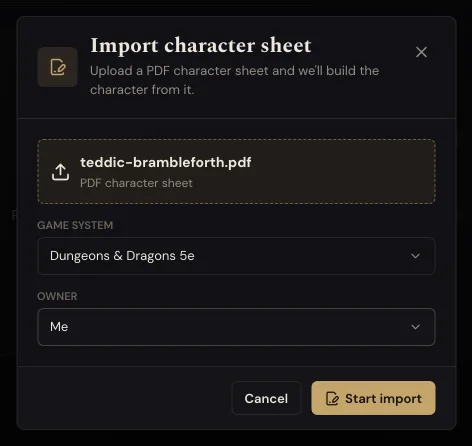
Game system defaults to D&D 5e. Change it if your sheet is something else.
Owner only appears when you import inside a campaign. Leave it on Me for your own character, or pick a player if you are doing it for someone at your table.
3. Press Start import. It takes a minute or two to read the sheet. You do not have to wait on the screen.
4. Check the left column against your sheet. That is what it read off the page: name, class, level, ability scores, hit points, skills.
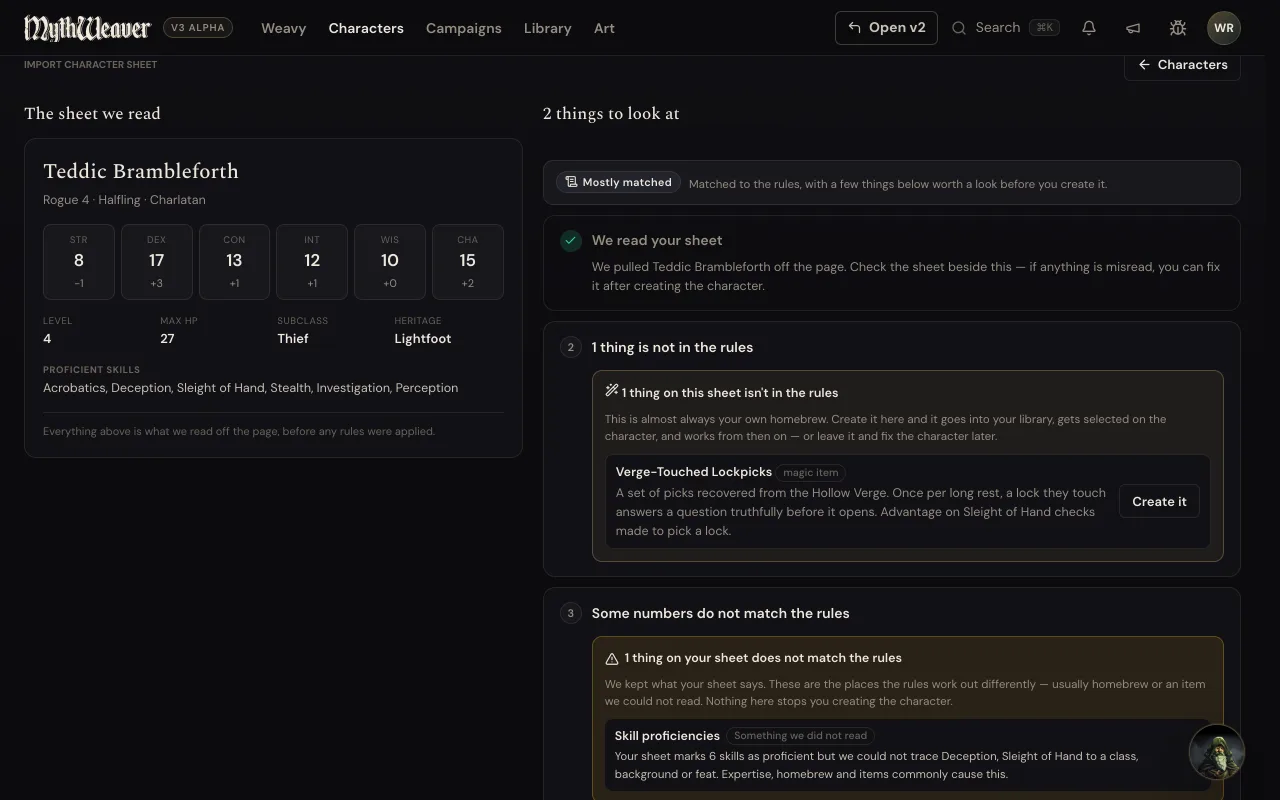
5. Press Create character.
The right column lists things worth a look. You do not have to deal with any of it first. Create the character now. Everything it flagged is still there when you come back.
What the flags mean
Not in the rules. Homebrew, usually. An invented magic item, a feat from a third party book. Press Create it and it goes into your library and onto the character.
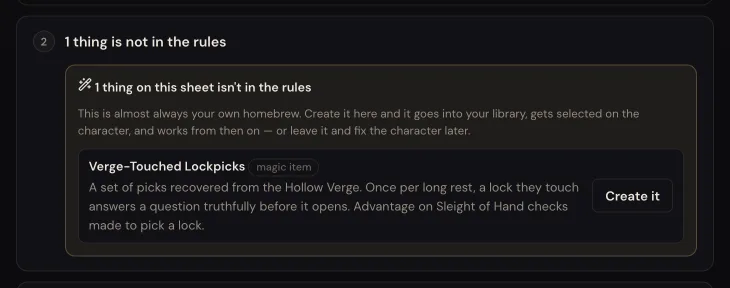
Numbers that do not match. It kept what your sheet says and is telling you where the rules work out differently. Usually a skill or a bonus that came from an item or a feat. Not an error, and not something you need to fix.
If one confuses you, press Ask Weavy to sort this out on that step.
How to tell it worked
The character shows up in your Characters list with the name, species, class and level from the PDF, and on the campaign roster too if you imported into one.

Open the sheet and fix anything it misread. Edits save as you type.
If something goes wrong
Dozens of things flagged as not in the rules. Check the game system first. A sheet read against the wrong ruleset matches almost nothing, and one wrong dropdown causes all of it.
A wrong number here or there. Create the character and fix it on the sheet. Faster than importing again.
Next
Give them a picture. The prompt is written from the sheet you just imported.