
You recorded the session. That was the easy part, and it's also where most people stop, because what you have now is three hours of audio that nobody, including you, is going to sit through again.
Handing it over costs about a minute of your attention. Two things are worth knowing first, because neither is signposted anywhere and both change what you get.
It stops twice and waits for you. A DM who uploads a file and walks away comes back to something that looks stuck and is actually holding a door open.
What comes back is a draft. Nobody at your table sees it until you say so. That's deliberate, and it means you get to read the thing before your players do.
Before you start
You need a recording. It doesn't have to have been made in MythWeaver. MP3, M4A, WAV, OGG and WEBM all work, up to 500 MB, which is far more than an evening of audio.
You also want your players in the campaign, with their characters attached, before you upload. That's the difference between a recap that uses your party's names and one that guesses at them. More on that at the roster step, which is where it bites.
On the free plan you get one recorded session a month, and an upload counts as one. Once it's used, you can't record or upload another until your month resets, but you can still write a session up or plan the next one. Trying it out with a test file? Delete that session afterwards and you get your one session back. That deletes its recap and transcript too, for good, so don't do it to a real game.
Getting the write-up
1. Open the campaign, go to Sessions, and press New session. If the campaign doesn't have any sessions yet, the button says Record a session instead. Either way you get a few ways in.
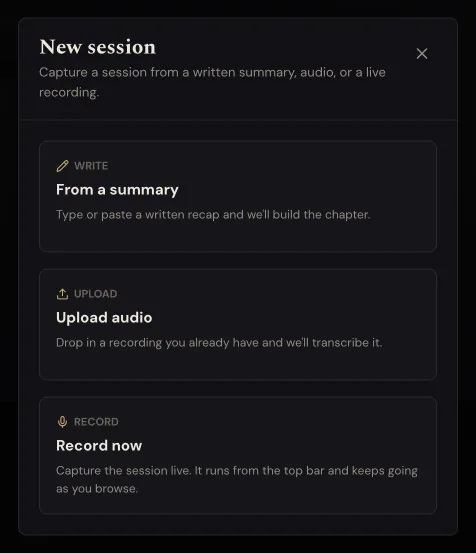
Upload a recording is the one you want. "Record tonight" records the game as you play. On a paid plan Weavy listens along and helps when you're stuck, and Record without Weavy under it gets you just the audio. "Write it up" is for when you'd rather type or paste what happened yourself (here's how that works). "Plan the next one" is for getting ready for the next game, not for one you've already played.
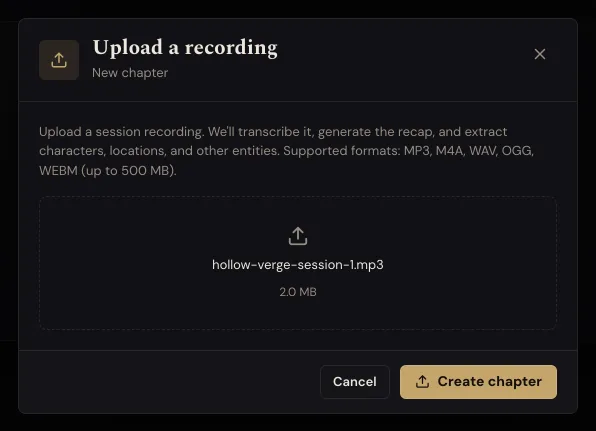
2. Drop the file in, or click to browse, then press Create session. It shows the name and the size first, which is the moment to notice you grabbed the wrong file. On the free plan it also reminds you this uses your one recorded session.
3. First stop: who was at the table. The upload drops you straight onto the roster screen, and nothing else happens until you answer it. Everyone in your campaign gets a row. Mark each person Here or Away, and check which character each player was voicing this session. It starts each player on the character they played last time, so switch anyone whose character changed.
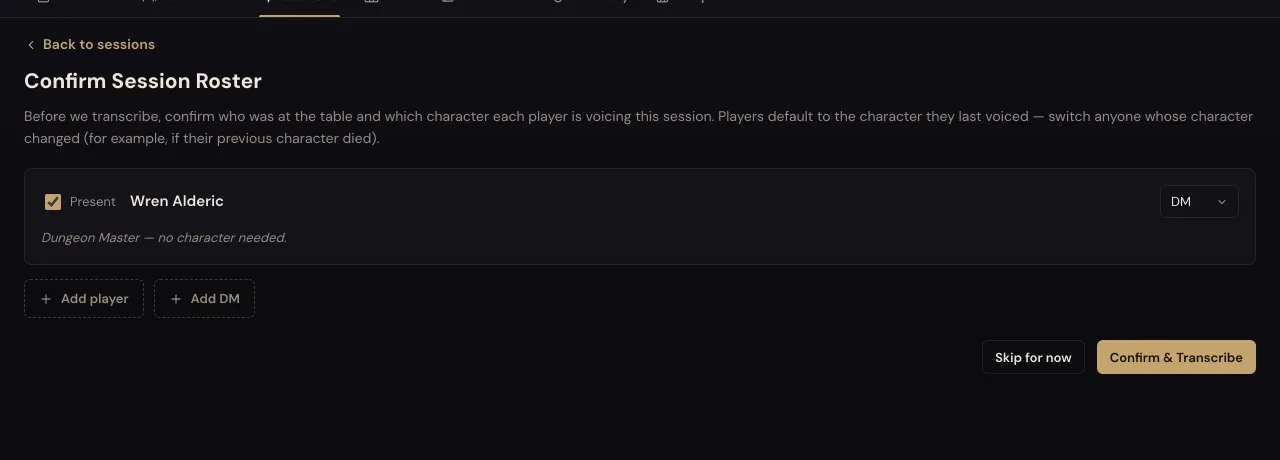
Anyone who missed the last session starts as Away, and it says Missed last session under their name. If they made it this time, press Here. If they're still away but another player ran their character, pick them under Played by. If nobody did, leave it on Nobody, it sat out. Someone who isn't in the campaign yet goes in with Add someone.
Answer this one properly. It's the step that teaches the recap your party's real names. We ran it with the roster left empty and the write-up came back calling Sister Ovanne "Ovan" and Kadar Voss "Cada". It heard the sounds correctly and had nothing to check them against. Invented names are exactly what transcription is worst at, and the roster is the fix.
If you run solo, or you haven't invited your players yet, this screen will only show you. That's fine. Press Start the recap.
4. Second stop: who's who. Once it has listened, it comes back with every voice it separated out, in a row across the top, and asks about them one at a time. Press play to hear a short clip of that voice, with the line it said written underneath, then tap the person it is. Anyone it recognised from a previous session comes up as a guess, and "Yes, it's" and their name confirms it in one press, so this gets shorter every time. A voice that wasn't part of play, someone's partner in the next room or the TV, goes under Not a player.
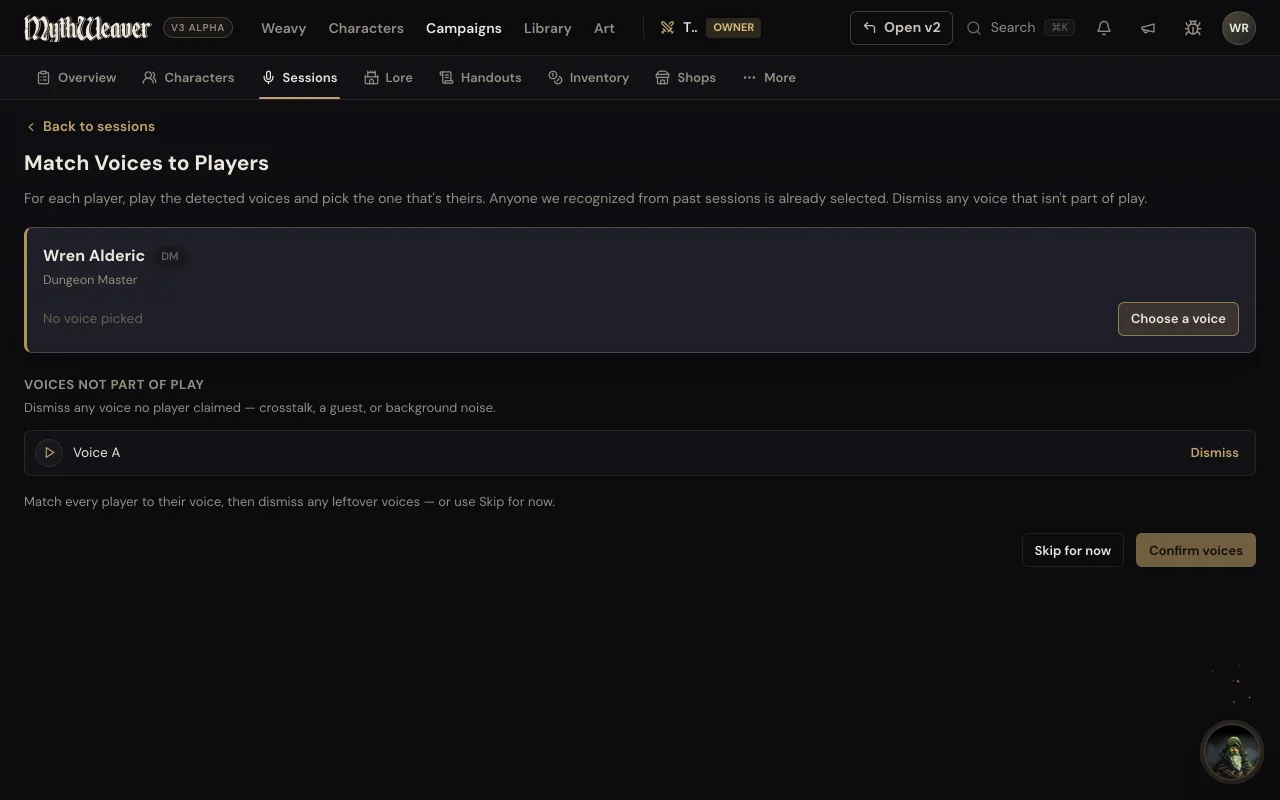
When every voice has a name it says That's everyone. Press Save and write the recap.
Both stops offer Skip for now, and both offers are honest. Each one asks you to confirm before it skips. Skipping costs you the per-player detail, not the recap. If you skip who's who, the finished recap says nobody was matched to a voice and gives you a Match voices button, so you can go back and do it later.
5. Leave it alone for a couple of minutes. It transcribes, then reads the whole thing back looking for who turned up, where you went and what happened. Our short test clip took a little over a minute from Start the recap to a finished draft. A real evening takes longer, and you don't need to sit and watch it.
How to tell it worked
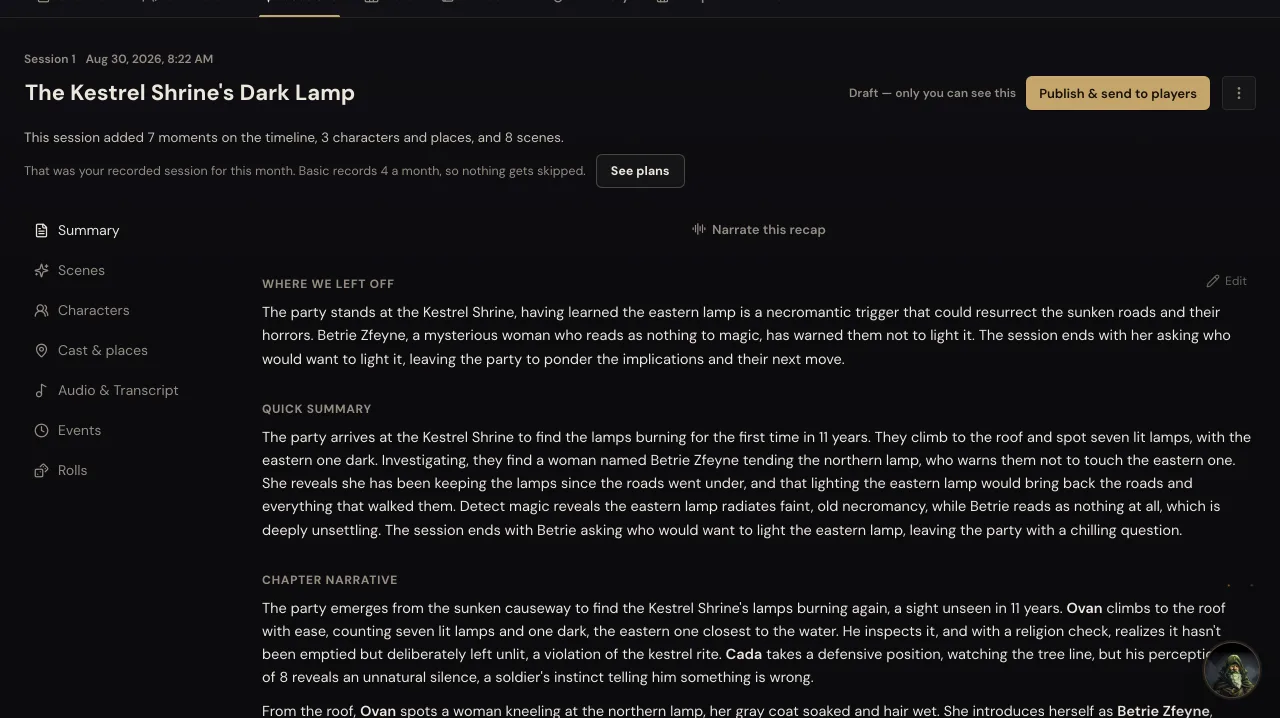
The session gets a title it wrote itself, and a line telling you what it found: how many moments went on the timeline, and how many places, items and scenes. Under that's the recap in three parts, where we left off, a quick summary, and the full story. Along the top are tabs for the scenes, the characters, the cast and places, the audio with its transcript, the events, the rolls and the inventory.
It will say Draft. Only you can see this. That's the honest state. Your players have nothing yet.
Read it, then press Publish & send to players. That opens Share with your table, where you pick how it goes out: email each player their own recap, post it to your campaign's Discord channel, or both. Discord only lights up once a channel is connected to the campaign. If you skipped the roster, it tells you here that nobody's marked as playing, so there's nobody to email yet.
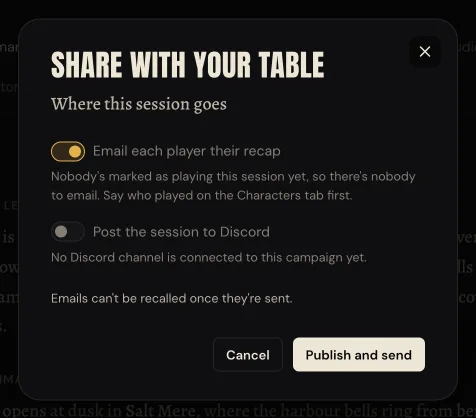
Press Publish and send and it's gone. Emails can't be recalled, so read first. Turn both switches off and the button becomes Publish quietly: the session is readable in the app and nobody gets told.
When it goes wrong
It looks stuck. Nine times in ten it's one of the two stops waiting for an answer. Open the session and see which question is on screen. This is the most common thing that happens by a distance, which is why it's at the top of this list.
It says The recap didn't finish. Your recording is safe. If it also says we'll try again on our own, you don't have to do anything, and the page moves on by itself when the next try starts. If it doesn't say that, press Retry processing. If it names something about the file, like no speech in it, it tells you what to do instead.
Upload a recording isn't there. On the free plan, that means you've used this month's recorded session. New session says so at the top, with when your count resets, and offers Write it up and Plan the next one. If a test used it up, press the three dots on that session in your Sessions list, then Delete session, and Upload a recording comes back.
The names are wrong. Fantasy names get mangled unless the roster gives it something to match against. Fill the roster in and run it again if you skipped that step, or fix them in the recap with Edit, which saves as you type.
It only heard one voice. Recordings where everyone shares a microphone, or where the audio has been flattened to a single track, give it much less to separate. You still get the recap. What you lose is the per-player detail, so put any extra voices under Not a player and move on rather than fighting it.
Where to go next
If you haven't settled how you record in the first place, that's worth sorting before next session rather than after: three ways to get the audio.
And if you've ever wondered why notes taken mid-game come out as unreadable fragments, we wrote about that. This page is the answer to the version of that problem where you gave up and hit record instead.