
It happens to everyone. The game was great, somebody was supposed to hit record, and nobody did. You don't need the audio to get a recap. If you can remember what happened, even roughly, MythWeaver can write it up from your notes: the recap, plus the new people, places and moments it finds, added to your campaign.
You can do the same for games you played before you started using MythWeaver. One write-up per session.
What you need
- A campaign you run. That's it. No recording, no file.
- A few lines about what happened. Bullet points, a messy paragraph, your notes from the night, a message you sent your group afterwards. Names help most: the more of your NPCs and places you mention, the more it can pick out.
Write it up
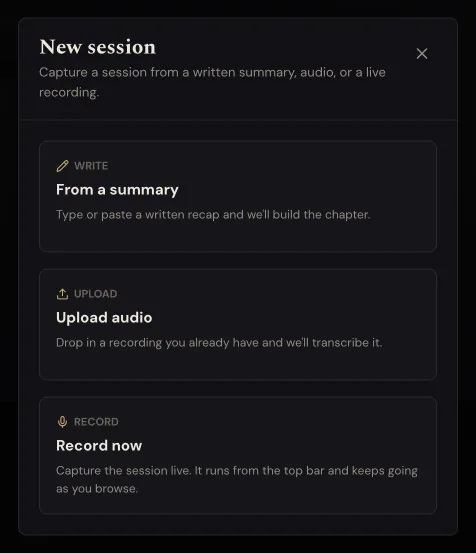
1. Open your campaign and go to Sessions. Press New session. If you haven't added a session to this campaign yet, the button says Record a session instead.
2. Pick Write it up. It's the one that says "Type or paste what happened".
3. Type or paste what happened. It doesn't have to be good. Write it the way you'd tell a player who missed the game. The counter under the box shows how much room you've got, and it's a lot.
The two boxes underneath are optional. Leave Session name blank and it'll name the session for you. Set Game date to the night you actually played, so your sessions stay in order.
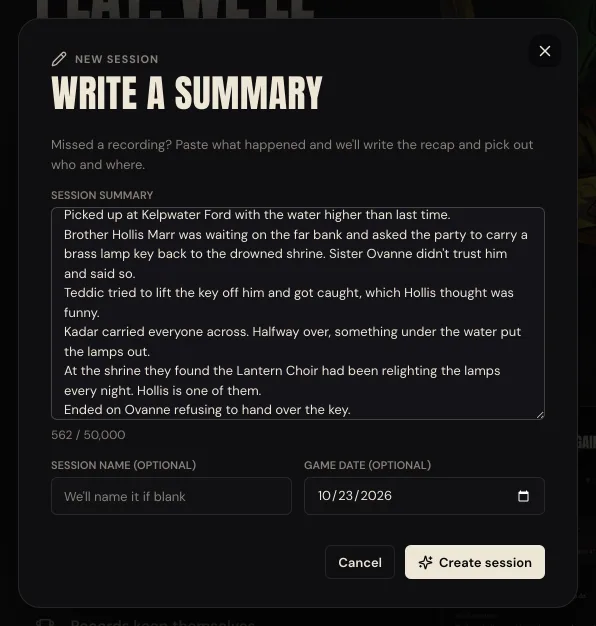
4. Press Create session. You land on the new session.
5. If you've got players in the campaign, say who was there. It asks who was at the table, the same question a recording asks, so the recap knows which characters were in the game. Tick who played and press Start the recap. The recording guide shows that screen. If nobody else is in your campaign yet, there's nothing to ask and it skips straight on.
6. Let it write. The page says Reading your session with a progress bar. You can leave the page; your recap shows up there when it's ready. There's no voice step: that's only for recordings.
How to tell it worked
The session page shows your recap with a title, the date you picked, and Draft. Only you can see this. next to Publish & send to players. Underneath you'll find Where we left off, a Quick summary and the full story, and a line telling you what it added to your campaign: moments on the timeline, people, places, items.
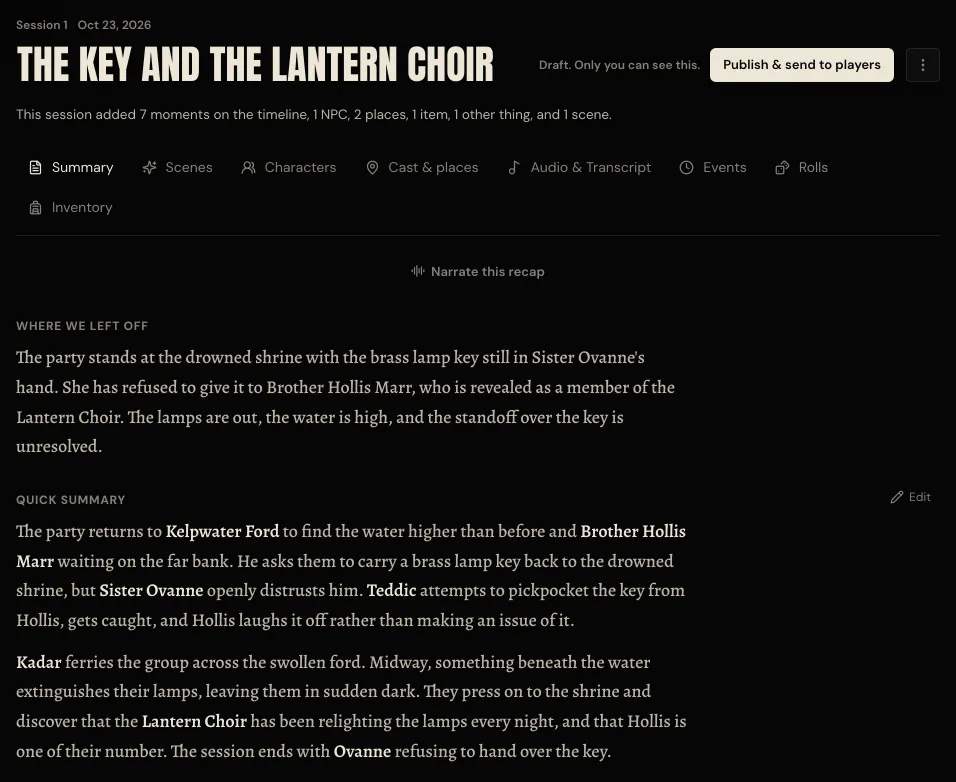
Check it over before anyone else sees it. If it got something wrong, press Edit beside the Quick summary and fix it. When you're happy, press Publish & send to players. The recording guide walks through what that step asks you.
The new people, places and things it found are in World now too, under Found in sessions, ready for your own notes.
If something goes wrong
Create session stays greyed out. The summary box is empty, or you've gone past the limit. If it's too long, the line under the box says "Trim it to fit." Cut it down, or split a long night into two sessions.
It says "We couldn't create that session. Try again." Your text is still in the box. Copy it somewhere safe, check your Sessions list in case it got made anyway, then press Create session again.
The recap is thin, or it missed someone. It can only write what you gave it. Press Edit beside the Quick summary and add what it missed. Next time, put more names in your notes.
Next
See where the people and places from your sessions end up.
Next game, try recording it instead. Here's how to get a recap from a recording.