
Pick it from your campaign, say what it is, and send the link. Takes about two minutes.
What you need
- A campaign you run, with something in it. You share lore entries (places, people, factions, items, monsters with their stat blocks) and world maps. If your campaign is empty, write the thing first.
- To be the DM. Players don't get a Share in Community button. If you play in somebody else's game, it's theirs to share.
Nothing you share leaves your campaign. Other DMs get their own copy, and what they change in it never touches yours.
Share it
1. Open Community and press Share something.
It's at the top right of the page, beside the title.

2. Pick the campaign, then tick what you want to share.
Your campaigns are down the left. Maps and lore are on the right, each with its picture and what it is. Search if the list is long.
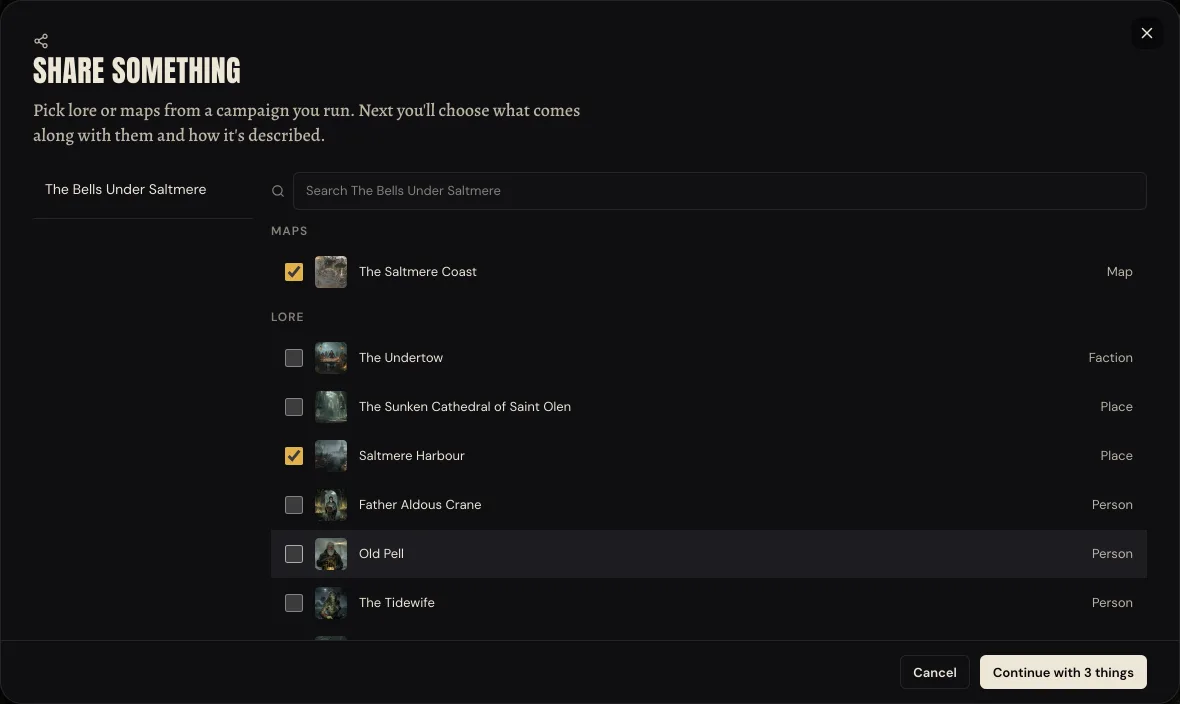
Tick as many as you like. They go out together as one listing, so a town, its map and its harbourmaster are one thing to find and one thing to add. A share comes out of one campaign, so switching campaigns clears what you ticked.
Press Continue.
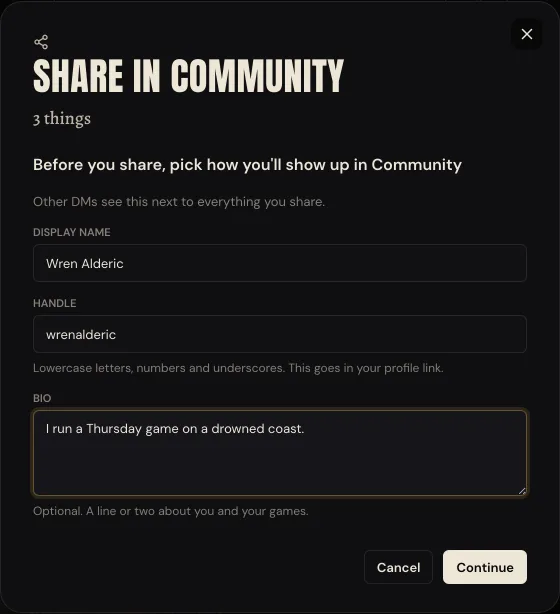
3. The first time only, say how you'll show up.
Other DMs see your display name and handle next to everything you share. The handle goes in your profile link, so it's lowercase letters, numbers and underscores. The bio is optional.
4. Check what goes out.
What you picked is at the top. Under It brings these along are the things it's linked to, each with the reason: a place pinned on your map, an NPC the entry mentions. They start ticked. Untick anything you'd rather keep.
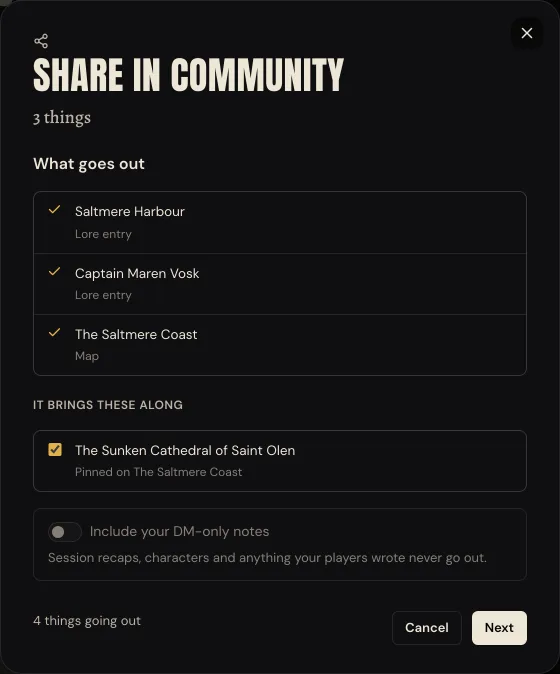
Your DM-only notes stay home unless you switch them on. Session recaps, characters and anything your players wrote never go out, whatever you pick.
Press Next.
5. Say what it is.
Give it a title and a one-line summary another DM can judge it by. The category is guessed from what you picked, so check it. Add up to eight tags, and pick a cover from the pictures going out, or make one.
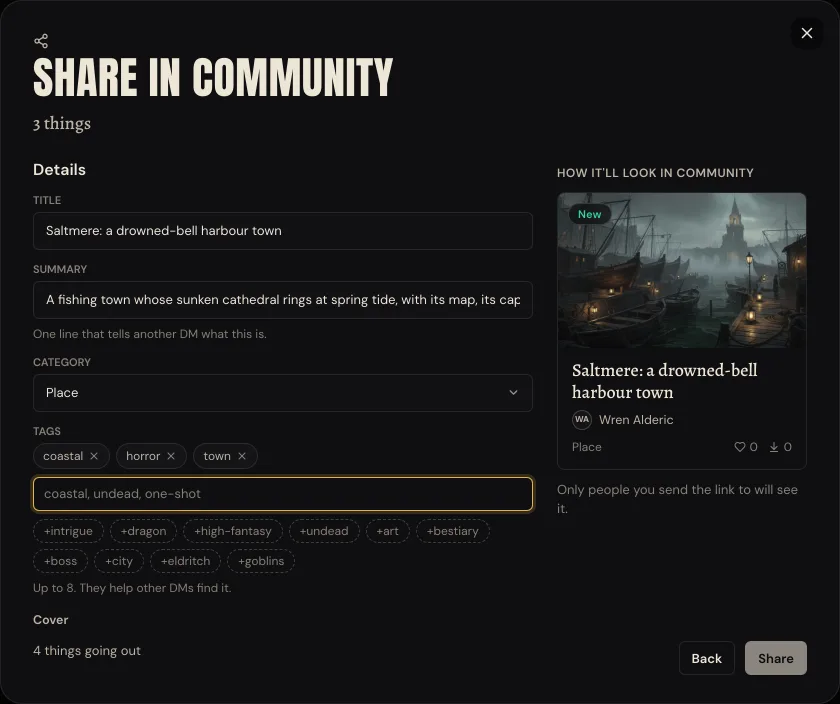
Then choose who can see it:
- Anyone with the link. Only people you send it to can find it. It's shareable straight away.
- Everyone in Community. It shows up when other DMs browse. We take a quick look first, and the link works while we do.
Tick I made this, or I'm allowed to share it, and press Share. Please don't share text copied from published books.
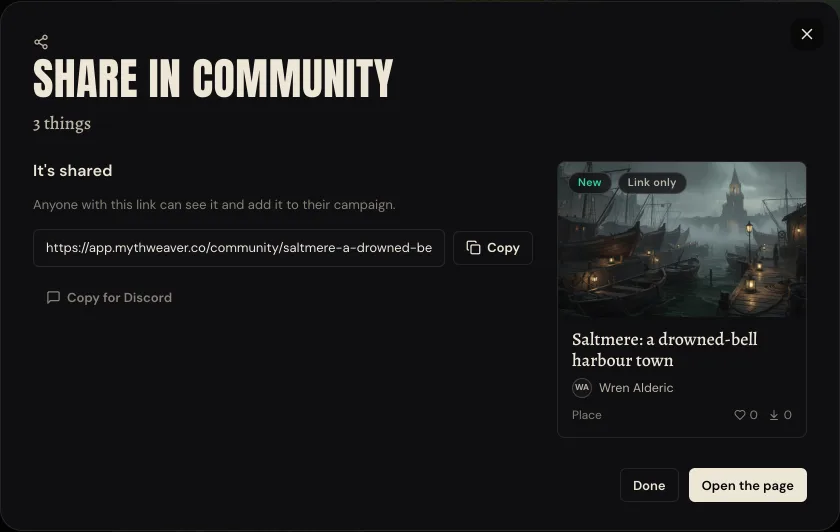
6. Send the link.
Copy it, or press Copy for Discord for a ready-to-paste message with the title, your name, the summary and the link.
The other way in
Already on the thing you want to share? A lore entry has Share in Community right beside its menu, and so does a world map. It opens the same steps with that one thing already picked.
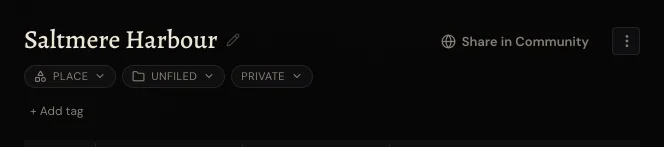
To share several entries at once from Lore, press Select, tick them, and use Share in Community on the bar that appears.
On a phone, Share in Community is inside the entry's or the map's menu.
What other DMs get
They open your listing, press Add to a campaign and pick one of theirs. Everything lands in its own folder in their Lore, hidden from their players until they share it. They can change anything. Nothing they do touches yours.
If they leave Keep this up to date on, your updates reach them. Anything they haven't changed updates by itself, and they're asked about anything they have.
After you've shared
Your shares, in Community, is where your listings live. Up top: views in the last 30 days, how many campaigns added your things, how many use them right now, likes and followers.
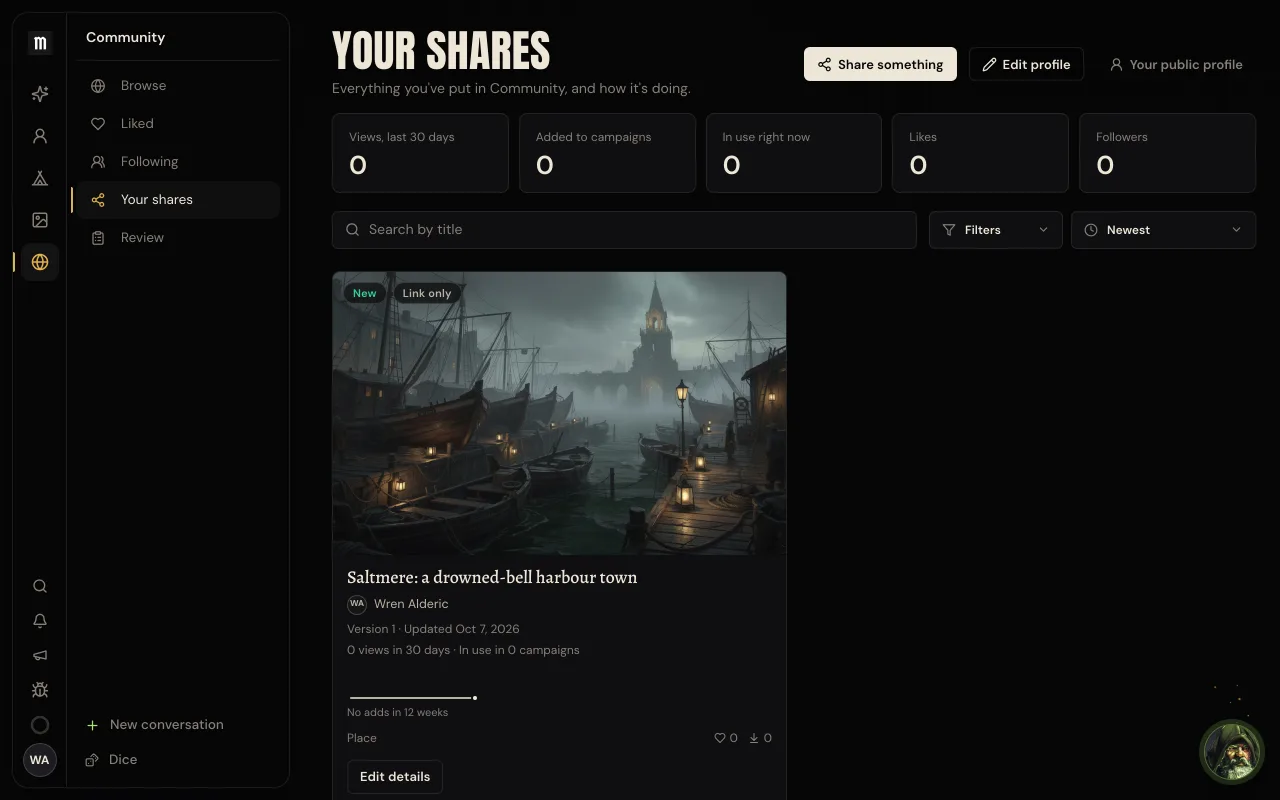
Open a listing to manage it:
- Edit details changes the title, summary, description, category and who can see it.
- Put out an update shares your campaign's current version of it. You see what changed before anything goes out.
- Delete takes it out of Community. Copies already in other DMs' campaigns stay.
If something goes wrong
There's no Share something button. Community isn't switched on for your account yet.
Share something says you have no campaigns. You only share from campaigns you run. Start one, or ask the DM of yours to share it.
A campaign shows nothing to share. It has no lore or maps yet. Open Lore in that campaign and write something first.
Share does nothing. Give it a title, and tick the box saying you made it or you're allowed to share it.
Your listing isn't in Browse. Link-only listings never are. If you chose Everyone in Community, it shows up once we've had our quick look.
Next
Set up a campaign and get your players into it, if you don't have one to share from yet.