
Here's how to get one campaign out of MythWeaver as a ZIP, and what's inside it.
What you need
To be running the campaign. The download is on the campaign's Settings, and only the DM gets Settings. Players don't get it, because the file includes everything you've marked DM only.
Download it
1. Open the campaign and press the gear next to its name. It's at the top of the sidebar. That opens Settings, on General.
2. Scroll to the bottom and press Download this campaign.
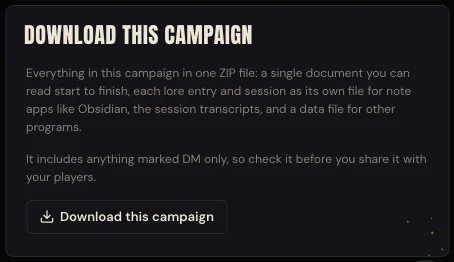
The button says Putting it together while it works. Then your browser saves the file.
3. Open the ZIP. It's wherever your browser puts downloads, named after the campaign. Ours was The Hollow Verge.zip.
What's inside
Unzip it and you get one folder, named after the campaign. Here's ours, from a test campaign with one lore entry in a World folder, one session we'd played and one we'd planned:
The Hollow Verge/
  The Hollow Verge.md
  Lore/
    The drowned road/
      Brother Hollis Marr.md
  Sessions/
    01 The Key and the Drowned Road.md
    02 The Lantern Choir.md
  Transcripts/
    01 The Key and the Drowned Road.txt
  campaign.json
The document named after your campaign is the one to read. It's the whole campaign top to bottom: the description, your lore, every session in order with its recap, and your plan if you made one, then the party with who plays each character.
Lore has a file for each lore entry, in the same folders you made in World. Sessions has a file for each session, numbered in order. These are there for notes apps like Obsidian: open the campaign folder in one and every entry and session is its own note. If you planned a session, its file has your plan: the beats in order with your notes on each, which ones you played or skipped, what you pinned, and your notes for the night.
Transcripts has what was said in each session you recorded or wrote up, line by line with the time. For a session you wrote up instead of recording, it's what you typed.
campaign.json is the same campaign as data, for bringing into another program. If you're not doing that, you can ignore it.
The .md files are plain text, so any text editor opens them. They look their best in a notes app, or anywhere that reads Markdown.
How to tell it worked
A note pops up saying Your campaign is downloading, and the ZIP lands in your downloads. Open the document named after your campaign and you should see your campaign's description at the top, then your lore and your sessions.
Before you share it with your players
Read it first. It includes everything marked DM only, recaps you haven't published, your session transcripts, and your session plans, even for sessions you haven't played yet. Good in a copy for yourself. Not what you want in your players' hands.
Anything a player keeps private to themselves stays out of it, so you're not walking off with their notes either.
If you want your table to have the story so far, send them the recaps from the app instead (here's how).
If something goes wrong
It says "We couldn't put this campaign together." Wait a minute and press Download this campaign again. Nothing in your campaign has changed.
There's no gear next to the campaign's name. You're a player in this campaign, not its DM, so it has no Settings for you. Ask your DM for a copy. For a copy of your own characters, go to Account settings and use Download your data.
You want every campaign at once. That's Download your data in Account settings too. It gets your campaigns, lore, recaps and characters in one data file. That makes it a good backup, but not something you'd sit down and read.
Next
Find your way around World, where the lore folders in your download come from.
Turn a recording into a recap, so there's a story to download.